Revolt Keyboard

The split ergonomic keyboard that puts the user first

Banner image

Revolt is the split ergonomic keyboard that puts the user first. It prioritises an abundance of keys over a tiny footprint, a practical layout over trendy looks, and a diy-friendly, modular build over surface-deep minimalism.

It boasts 68 low-profile switches on a tented base, backlit home-row keys to help you find your bearing, and a single microcontroller running the show and providing touchpoint-mouse functionality.

It’s designed to last you for decades with no issues, but if any do come up it’s easy and cheap to fix without complicated disassembly.
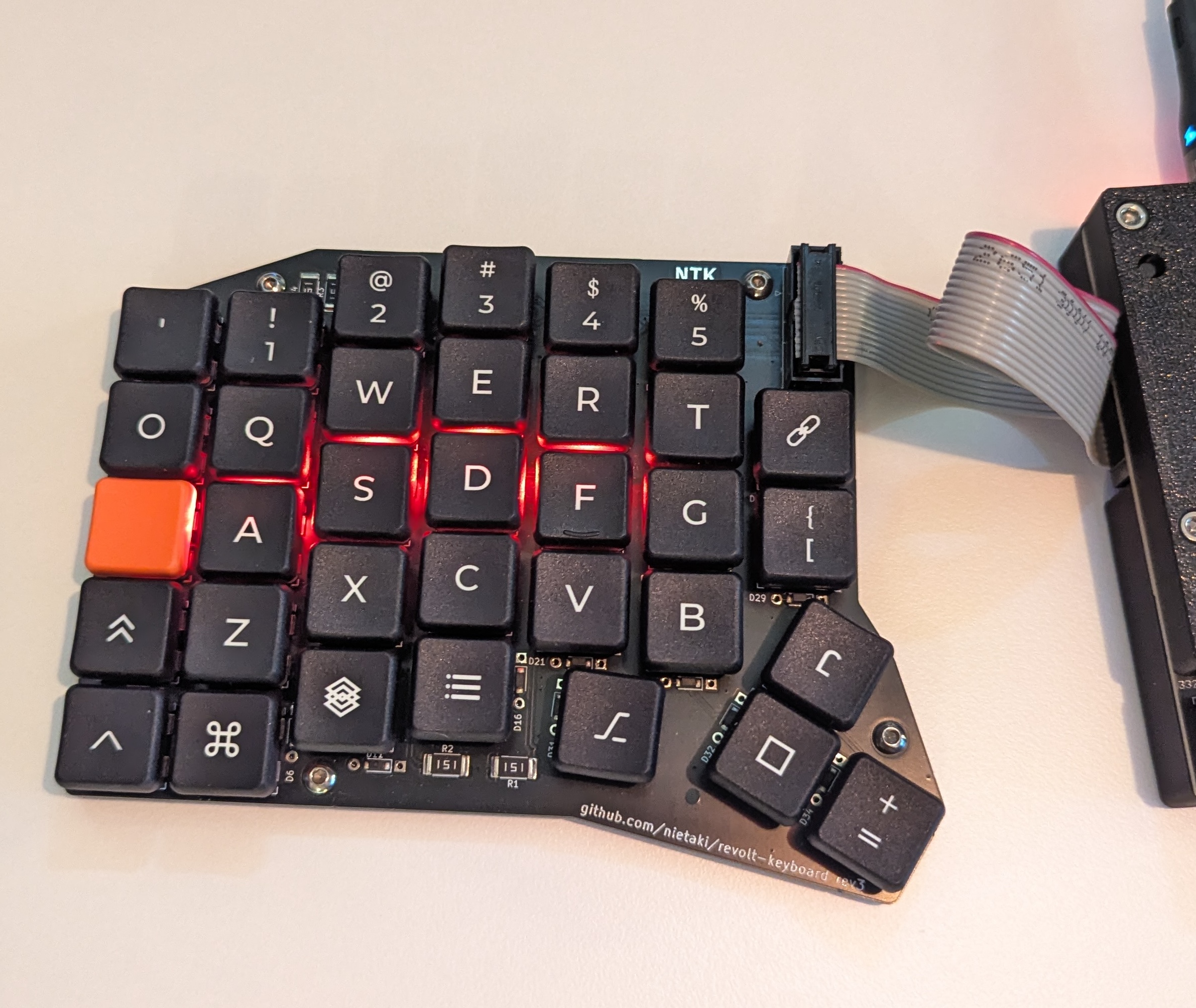
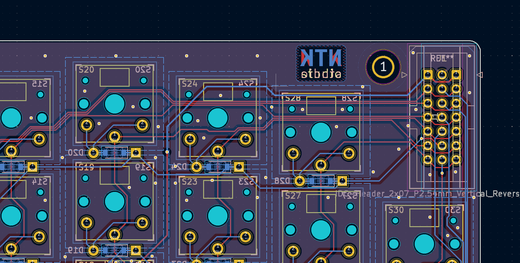
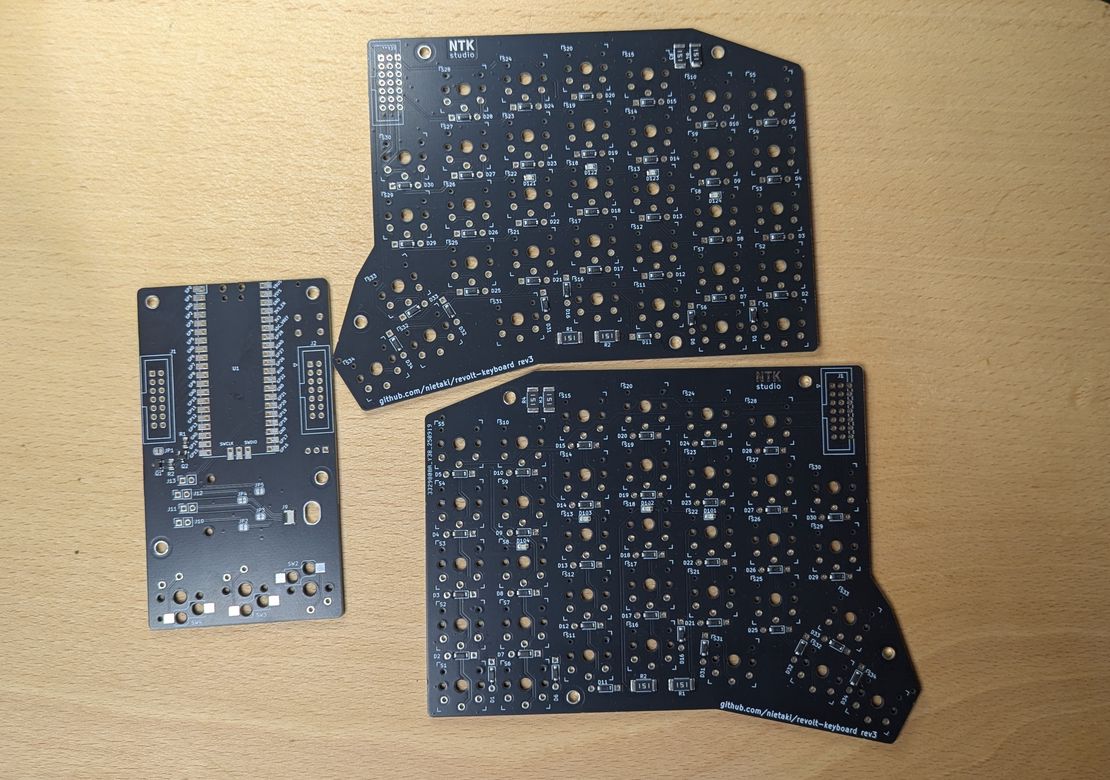
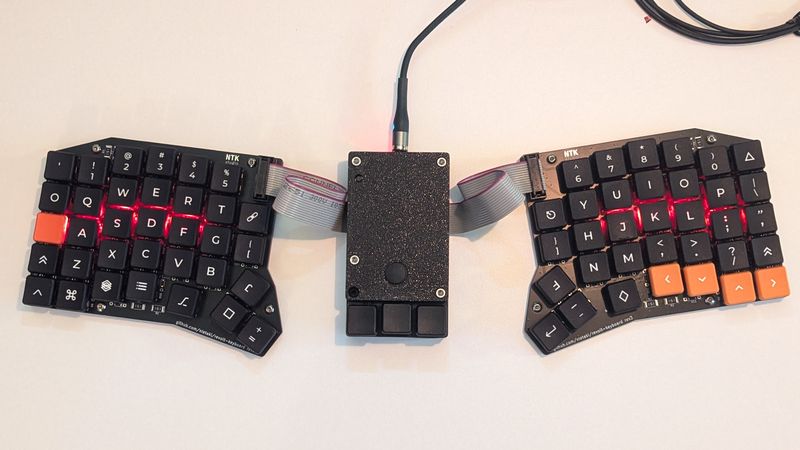
The keyboard is comprised of the middle commander part that hosts the microcontroller and two hands hosting the switches connected to the commander with an easily crimped ribbon cable of arbitrary length. The hands use the same PCB for a more economical DIY build.

feature image

More ergonomic than what you’re used to

The existing key layouts were the basis we wanted to improve upon. This resulted in:
  • rows closer together thanks to the smaller footprint of choc switches
  • more aggressive pinky column stagger making the keys in the far corners reachable without moving your hands
  • a small thumb cluster in the right position to rest your thumb and use all 3 buttons without having to reposition your hand.
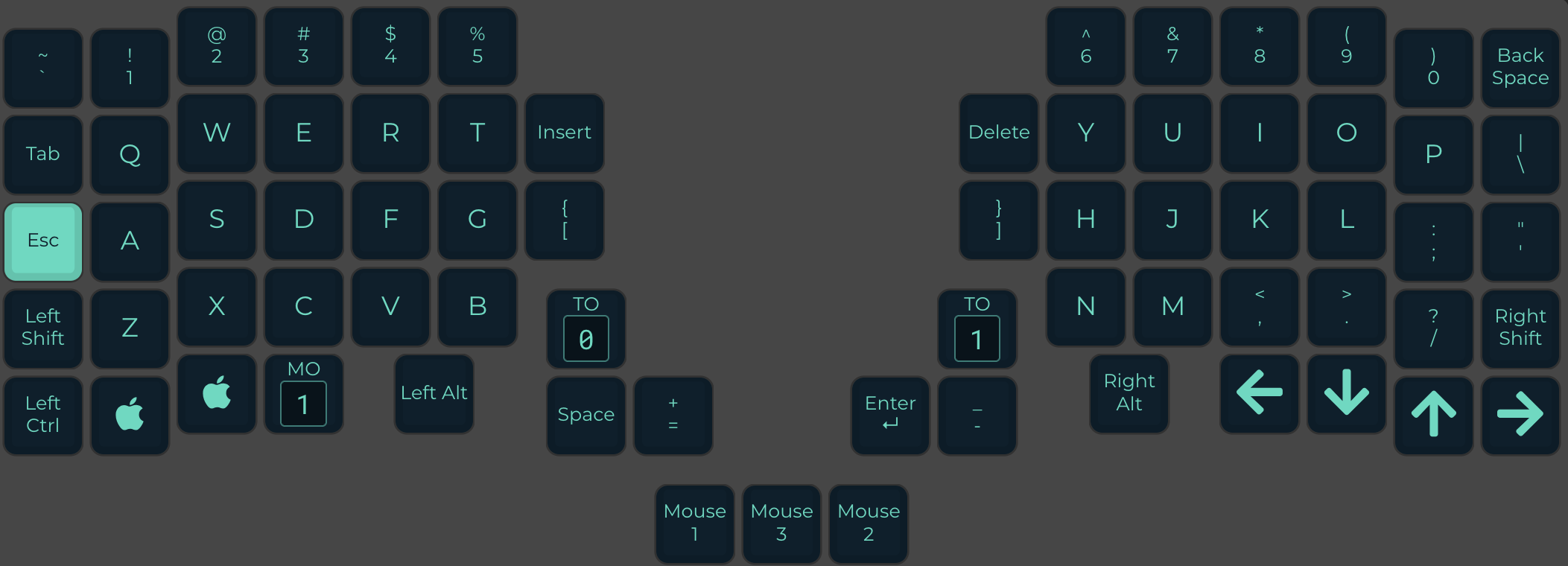
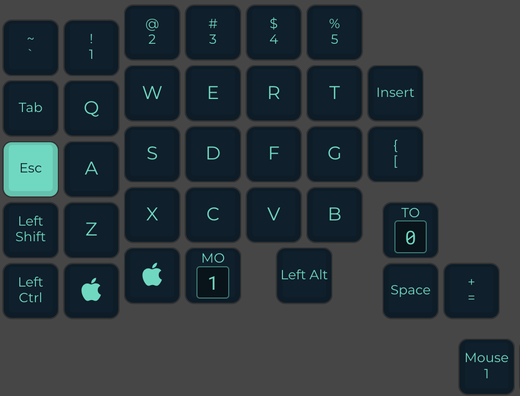
  • default keymap similar enough to the "traditional" one for an easy switch, while still taking advantage of the keyboard's layout
feature image

Enough keys for any workflow

Revolt boasts 68 keys (plus 3 optional “mouse” keys), which is 10 more than your average split keyboard. That enables traditional-looking layuts and workflows that don’t depend on layers to access frequently used keycodes.

Kailh Choc V1 keycaps usually come in sets of 70, making it easy to customise your keyboard to your liking.

Here’s more info on the philosophy of the default layout

    feature image

    Open-source to its core

    The keyboard itself, its case, and the firmware are all open-source, in all their variants. They’re licensed with viral copyleft licenses, so you know you’ll always have access to keyboard’s components and new iterations, regardless of what NTK Studio (or any other company) does.
      feature image

      No-flicker home keys backlight

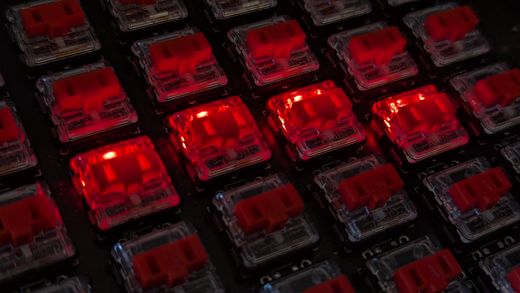
      The home keys (ASDF and JKL;) are backlit to make it easier to position your hands in the dark. Unlike the popular RGB diodes, the red LEDs of Revolt are driven with constant current, resulting in absolutely no flickering, even when filmed.

      That’s not to say you can’t control the backlight - you can toggle it on and off using a keyboard shortcut of your choice.

        feature image

        low-profile, quiet setup

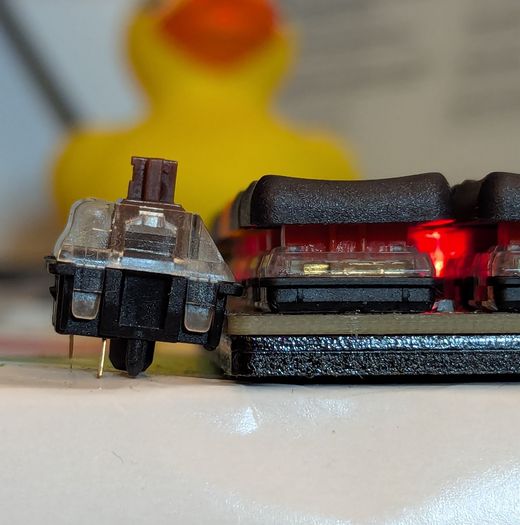
        Revolt can be set up to take under 17mm total height - from the desk to the key top. That’s about the width of a regular USB plug, and less than the height of a cherry MX switch (yes, just the switch).

        This setup also lends itself to quiet operation - with stock switches it’s significantly quieter than my individually lubed and filmed cherry MX brown keyboard

          feature image

          DIY-friendly design without compromises

          I’ve put a lot of thought making sure Revolt is DIY- and budget-friendly, without compromising on functionality.
          • the left and right "hands" use the same PCB
          • universal SMD/THT footprints for the matrix diodes
          • trivial soldering of the kit with pre-soldered SMD components
          • just a single microcontroller to solder and flash
          • using only "jellybean" (economical and easily obtained) components in the design
          • modular build (commander board plus two "hand" boards can be upgraded individually)
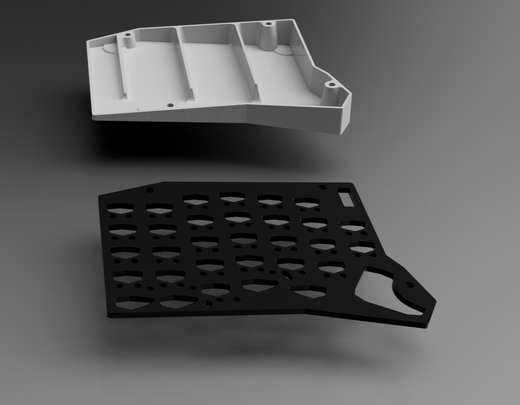
          • the case is easy to 3d-print and uses minimal hardware

          Sound Test

          Buy

          Revolt Keyboard - Ready-To-Use

          A fully built Revolt keyboard, with the latest firmware with the default keymap flashed. The switches used are Kailh Choc V1 red, soldered in on the hand PCBs and hot-swappable on the middle, “commander” PCB (for the …

          store page

          Revolt Kit

          Revolt Kit

          56 - 156 €

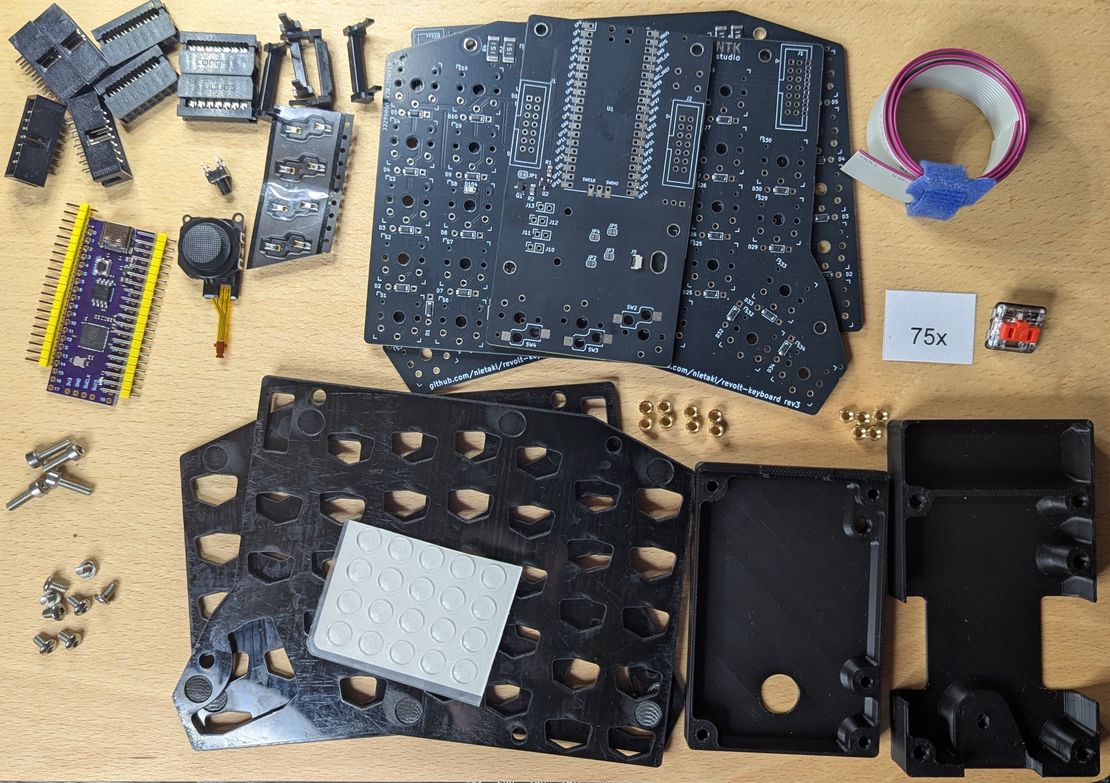
          Allows you to easily build your own Revolt keyboard. Only THT soldering is required, with optional SMD soldering only for mouse key hotswap sockets. All kits contain the microcontroller, joystick and IDC connectors, they differ based on the …

          store page

          Revolt PCB + SMD

          The PCBs needed to build a revolt keyboard, with all SMD components pre-soldered. The soldered-on components include switch matrix diodes, backlight LEDs, backlight control circuit, joystick socket and all needed resistors.

          store page

          left/right “hand” Specs

          propertyvalue
          dimensions (W x D x H)144mm x 114mm x 17mm
          (with 3mm acrylic base)
          LEDs4 flicker-free LEDs under ASDF/JKL; that can be toggled on and off from the QMK firmware
          componentspre-soldered SMD diodes/resistors/LEDs, THT keyswitches, THT IDC14 socket
          default switchesKailh v1 red (low profile)

          “commander” Specs

          propertyvalue
          dimensions (W x D x H)56mm x 100mm x 27mm
          (with joystick and “mouse keys”)
          microcontrollerRaspberry Pi - RP2040
          connectivityUSB-C socket (micro USB configuration possible)
          mouse key switcheshot-swappable Kailh Choc v1
          joystickPSP-3000 compatible
          firmwareQMK with custom joystick driver

          Support

          Discord

          To get support or submit suggestsions regarding Revolt, join the NTK Studio Discord server, where we have a dedicated forum for each.

          Resources

          How to build a Revolt keyboard in under 1.5h:

          Firmware

          Firmware code is availble on GitHub, along with some more specific configuration and build information.

          The PR to QMK upstream is open, Revolt should soon be configurable in the qmk configurator.

          In the meantime you can either:

          Joystick mouse note

          The joystick mouse, while functional, is still an experimental feature and not yet optimized for ergonomics or performance.

          There probably will be future iterations of the middle “commander” board to make the joystick experience better and the commander board smaller.

          You will always be able to connect your existing “hand” PCBs to the new commander board and re-use the microcontroller in the future if you so wish.

          Share: